


Hoe: niet-ondersteund land voor CSS oplossen
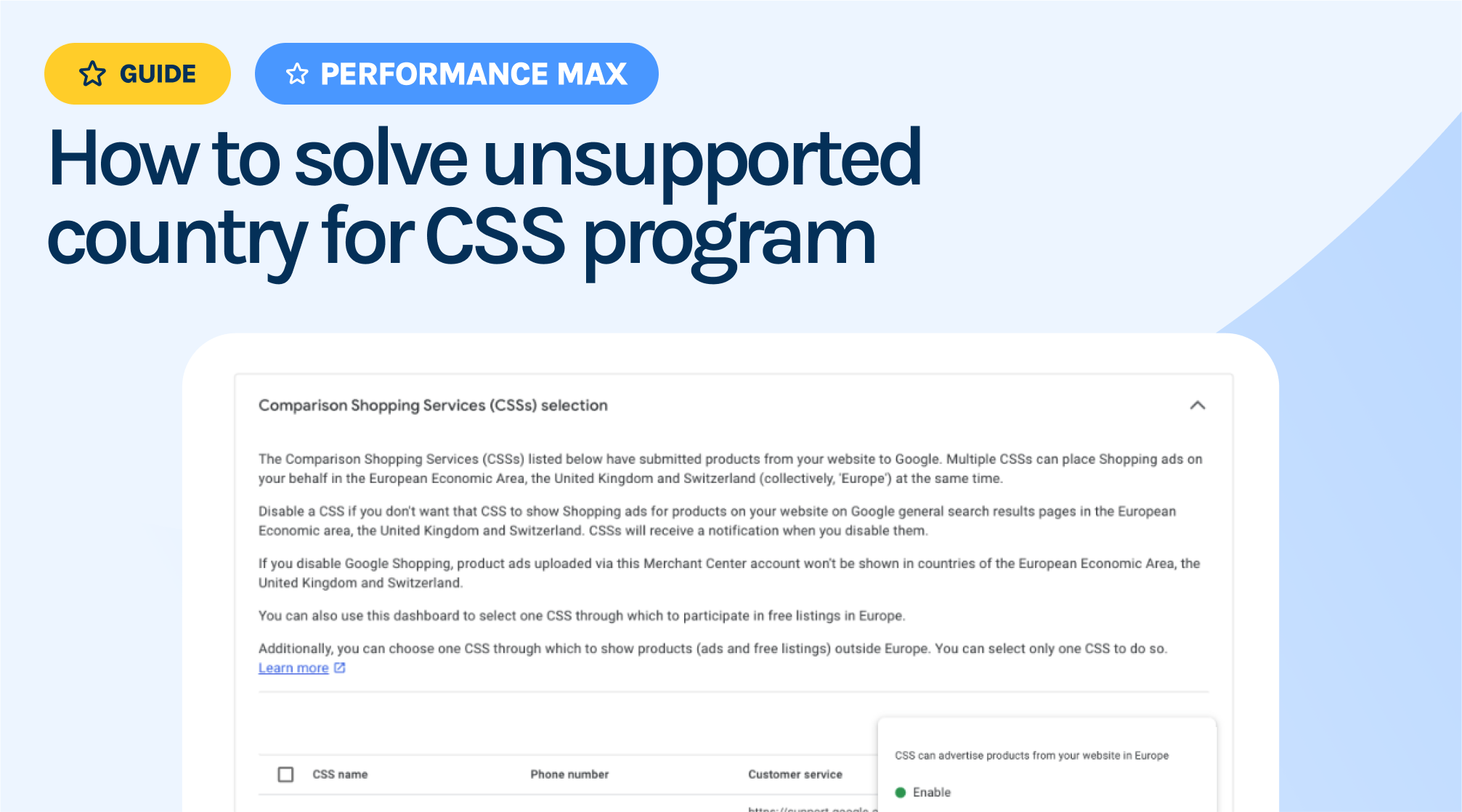
What causes this warning?
The Google CSS program is only available in 21 European countries. If you switch to a CSS Partner, like Producthero, and are advertising in countries outside of the EU where the CSS program isn’t supported, you may see this warning in your Merchant Center.
Producthero CSS supports all countries, including those outside the EU and CSS program. If you’re seeing disapproval for products outside of the EU, it could be because you have multiple Merchant Center accounts being linked to your domain (e.g., “https://example.com”). The Merchant Center with the most uploaded products is automatically selected for serving products outside of the EU by Google. Read more on how you can find out if there are CSS partners advertising for your shop in this article: What?! A CSS is advertising on behalf of me with Product Listing Ads.
Enabling a CSS partner for serving products outside of the EU
To resolve this issue, you need to create a new Merchant Center account under Google CSS, claim the same domain URL, and enable Producthero to place ads outside of Europe via the CSS Dashboard.
You won’t face any problems from having two accounts claiming the same website. While Google may send you warning messages about claiming the domain for the new Merchant Center and how it might impact your Shopping Campaigns, you can safely proceed with claiming your website URL without any concerns for your Merchant Center under Producthero CSS.
Step 1: Create a New Merchant Center Account and Claim Your Domain
- Set up a new Merchant Center account using a Gmail account that isn’t already linked to your current Merchant Center. If you need a new Gmail account, you can create one.
- Claim your domain in the new account. If you don’t know how to do this, follow steps 3.1 and 3.2 in this guide. There’s no need to add products to this new account—just claim the URL.
Step 2: Navigate to the CSS dashboard
In the new Merchant Center that you have created, head over to the “Comparison Shopping Services” tab, as shown in the screenshot below:
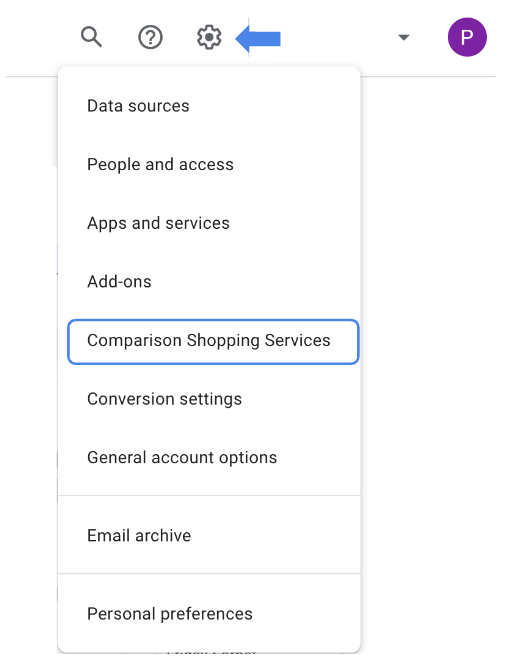
Step 3: Set Producthero as the CSS for Non-EU Countries
On the lower end of this page, you can find the CSSs that are active for your domain. If you want to use Producthero for serving products outside of the EU, this needs to be selected here.
Hover over the Producthero row and click the three-dot icon on the right. Look for the “Make this the CSS for placing products outside of Europe” option and enable it if it’s not already active.
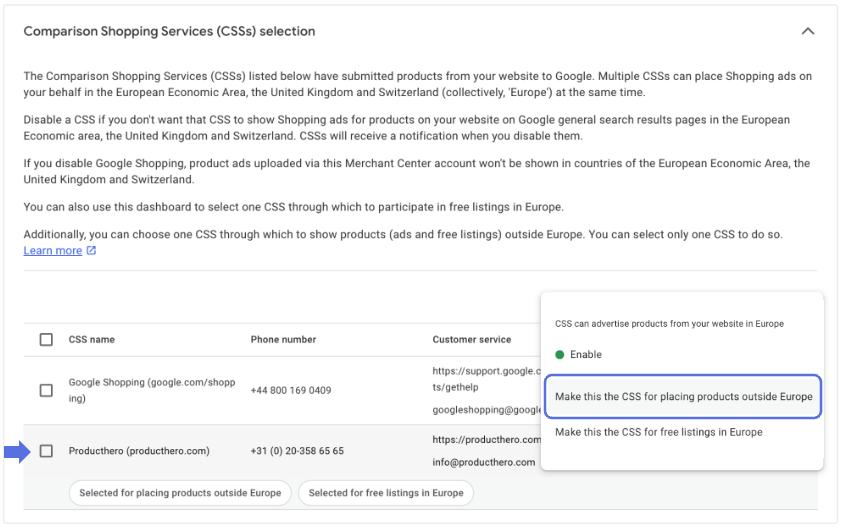
That’s it! Within 24 hours, during the next feed update by Google, the “unsupported country for CSS program” warning will disappear from your Merchant Center under Producthero CSS.
If you still have issues, feel free to contact our support team. As the #1 premium CSS partner, we’ve successfully helped thousands of businesses transition from Google CSS. We work with transparent pricing and offer a 30-day free trial. Next to the Google CSS program, you will also be able to use our Optimizer tool, included for free in the Premium CSS subscription. This tool allows you to easily optimise your product titles and improve your ad performance.
Onze artikelen en casestudies
Google stopt met de Content API voor Shopping: wat u moet weten
Een gids voor onjuiste voorstelling van zaken in Google Merchant Center
